Tech
Bvostfus Python: What It Is, What Can Be Verified, and How to Stay Safe

People searching for Bvostfus Python are usually trying to answer a practical question: Is it a Python package, a development tool, a tutorial platform, or newly released software? Several online pages describe it as a tool that simplifies programming, installation, dependency management, automation, and even machine learning. The problem is that these descriptions are rarely supported by official documentation.
As of July 2026, publicly available evidence does not establish Bvostfus as a recognised Python package, framework, programming language, or official Python project. That does not prove that the name has no meaning at all. It may belong to a private project, an unpublished tool, a website category, or simply a search phrase that has been repeated without a clearly identified product behind it.
For anyone considering downloading or installing it, that distinction matters.
Is Bvostfus Python a Real Software Package?
A legitimate public Python package normally leaves a clear technical trail. It has an exact package name, an identifiable publisher, installation documentation, version numbers, release notes, and usually a source-code repository. Developers can determine what it does, which Python versions it supports, what dependencies it requires, and how problems should be reported.
Those basic details are not clearly established for Bvostfus Python.
Search results contain articles that call it a development system, package, guide, or “new software.” Some claim it can organise projects, manage dependencies, support web development, or integrate with machine-learning libraries. However, repeating familiar Python capabilities does not verify the existence of a separate product.
No reliable technical identity should be assumed until the following information is available:
| Verification point | What a genuine project should provide |
|---|---|
| Exact package name | A consistent name used in installation and import commands |
| Publisher | A person, company, or organisation responsible for the software |
| Package record | A public listing with metadata and downloadable releases |
| Documentation | Instructions specific to the tool rather than general Python advice |
| Source repository | Code, licence details, issue tracking, and development history |
| Version history | Dated releases with documented changes |
| Import example | A working example showing the module’s actual functions |
Without these details, instructions such as “install the package with pip” are incomplete. A command needs an exact and verified package name. General claims about using the software with Flask, Django, TensorFlow, or PyTorch are also not evidence that those integrations exist.
Why the Name Appears in Search Results
There are several reasonable explanations for the term’s online presence.
One possibility is that Bvostfus is the name of a content website rather than a software product. Search results do show a website using that branding and publishing general informational material. A site can cover Python concepts without owning or maintaining a Python package.
The phrase might also refer to an internal project. Businesses and developers frequently create private tools that never appear in public package indexes. If that is the case, installation instructions would normally be supplied by the organisation that created the software.
A spelling error is another possibility. Python has thousands of packages, and a mistyped name can easily lead users toward unrelated pages. “Bvostfus” may have been confused with a different library or with bpython, a real enhanced interactive Python shell. The similar appearance of the names is not enough to conclude that they are related.
Finally, some technology websites publish articles around unfamiliar search phrases before confirming that an actual product exists. Once several pages repeat the same unverified description, the term can begin to look established even though none of the pages identifies original documentation or a developer.
Be Careful With Unverified Installation Commands
Running an installation command is not the same as reading an article. It allows downloaded code and its dependencies to enter a Python environment. That is why package identity should be confirmed before any command is copied into a terminal.
Do not assume that this is safe merely because a page presents it in a code block:
There is no dependable reason to use that command unless the exact package has been confirmed through an authentic project source. Even if a similarly named package appears later, its existence alone would not prove that it belongs to the software described in current articles.
Unfamiliar package names deserve particular attention because of typosquatting. In such attacks, a harmful or misleading package is published under a name resembling a legitimate library. A developer who mistypes the intended name may install the wrong code.
Warning signs include anonymous downloads, shortened addresses, missing source code, vague descriptions, copied documentation, inconsistent package names, and instructions asking for administrator access without explaining why it is necessary.

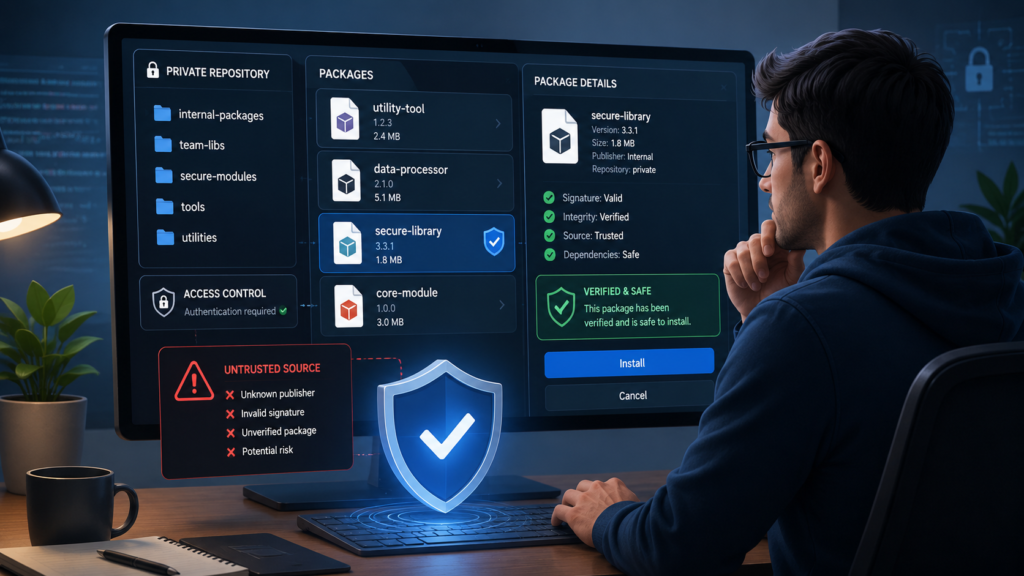
A Reliable Way to Check an Unknown Python Tool
Start by confirming the spelling. Return to the place where you first encountered the name and look for context. Was it mentioned in a course, error message, project file, company document, or random blog post? A name found inside a project’s requirements.txt file is more specific than one appearing only in an article title.
Next, search the Python Package Index for the exact package name. A useful listing should show release files, version history, supported Python versions, project ownership, and package metadata. Pay attention to whether the linked documentation and repository belong to the same developer.
Inspect the source repository when one is available. A credible project does not need to be large or famous, but its purpose should be understandable. Look for a licence, README file, installation instructions, recent commits, issue discussions, and code that matches the advertised functions.
Documentation should include real examples. If a tool claims to process data, manage dependencies, or automate tasks, it should show its actual classes, commands, or functions. Generic statements about Python’s popularity or flexibility do not demonstrate what a particular package can do.
If everything appears consistent and you still need to test the package, use an isolated virtual environment:
A virtual environment keeps test dependencies separate from other projects. It reduces accidental conflicts, although it does not make suspicious software harmless. Unknown code should not be tested on a device containing sensitive files or valuable credentials.
What to Use If You Simply Want to Learn Python
Readers searching for this term may actually be looking for a beginner-friendly Python setup. In that case, no special Bvostfus-branded software is required.
A standard installation includes the Python interpreter and commonly provides access to pip, the package installer. The built-in venv module can create separate environments for different projects. A basic script can be saved as hello.py:
From there, the right tools depend on the project. Flask and Django are established choices for web development, while NumPy and pandas are widely used for numerical and tabular data work. Automation scripts often rely on Python’s standard-library modules, including pathlib, csv, json, and subprocess.
If the intended name was bpython, that is a separate interactive interpreter interface designed to make experimentation more convenient. It offers features such as syntax highlighting, suggestions, and easier inspection while working in a terminal. It should not be treated as another spelling of Bvostfus without supporting context.
Understanding Errors Connected to an Unknown Name
An error message can help reveal what is actually wrong.
“Could not find a version that satisfies the requirement” usually means the requested package name cannot be found from the configured package source, no compatible release exists, or the spelling is incorrect.
ModuleNotFoundError means the active Python interpreter cannot import the requested module. The package may be missing, installed in another environment, or imported under a different name. It does not confirm that the module exists publicly.
If pip is not recognised, try invoking it through Python:
This approach helps ensure that pip belongs to the same Python interpreter being used for the project.
Dependency conflicts occur when two installed packages require incompatible versions of another library. Creating a fresh virtual environment and installing only verified requirements is often safer than repeatedly modifying a crowded global environment.
Conclusion
The safest description of Bvostfus Python is that it remains an unverified term rather than an established public Python product. Online articles may describe attractive features, installation steps, and possible uses, but those claims need an identifiable package, publisher, repository, and documentation behind them.
Until that evidence appears, avoid treating generic installation instructions as official guidance. Confirm the exact name, inspect the source, verify the maintainer, and test unfamiliar software only in an appropriately isolated environment. If the goal is simply to learn programming or build a project, the standard Python ecosystem already provides well-documented tools for that purpose.
Frequently Asked Questions
Is Bvostfus Python an official Python project?
There is no reliable public evidence showing that it is maintained by the Python Software Foundation or forms part of the official Python language and standard library.
Can I install it using pip?
Do not run an installation command until an authentic package listing, publisher, repository, and exact package name have been confirmed.
Is Bvostfus the same as bpython?
No verified connection has been established. bpython is a known interactive Python interface, while the Bvostfus name does not currently have the same clear technical identity.
Why do websites describe it as new software?
Some pages repeat broad descriptions without identifying an original developer or official documentation. Multiple articles can create visibility without proving that a product exists.
What should I do if a project requires it?
Ask the project owner for the precise package source, supported version, documentation, and checksum or release record. Do not substitute a similarly named download.
Read more :Tech Hacks PBLinuxGaming: A Practical Guide to Better Linux Gaming